
Taskbeast builds invoices and receipts straight from your bookings — the guest, the dates and the amounts are already there. You configure the document once per listing, and every stay can then be invoiced in seconds.
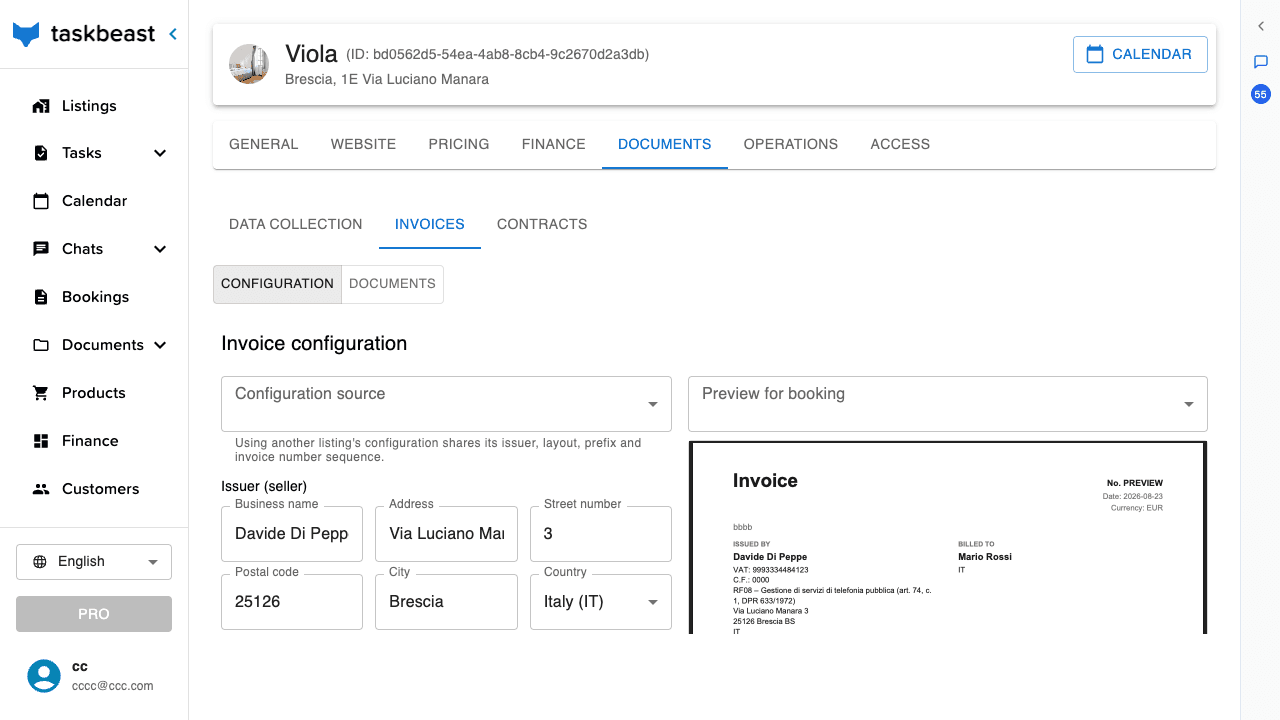
Configure your invoice
- 1Open the listing from Listings and go to the Documents tab, Invoices section.
- 2Fill in the issuer — your business name and address as they should appear on the document.
- 3Choose the default document type and layout options. The live preview on the right shows exactly what the finished document will look like.
- 4Every change is saved per listing; several listings can also share one configuration.
Add extra services to an invoice
Sold a late checkout, an airport transfer or a cleaning extra? Add it as a product and the paperwork follows along.
- 1Create your catalog once in Products — name, price and VAT per item.
- 2Open the booking and add the product to it. The item lands on the booking’s order together with the stay.
- 3The next invoice draft for that booking automatically includes the new line — nothing to re-type.
Share an invoice with the guest
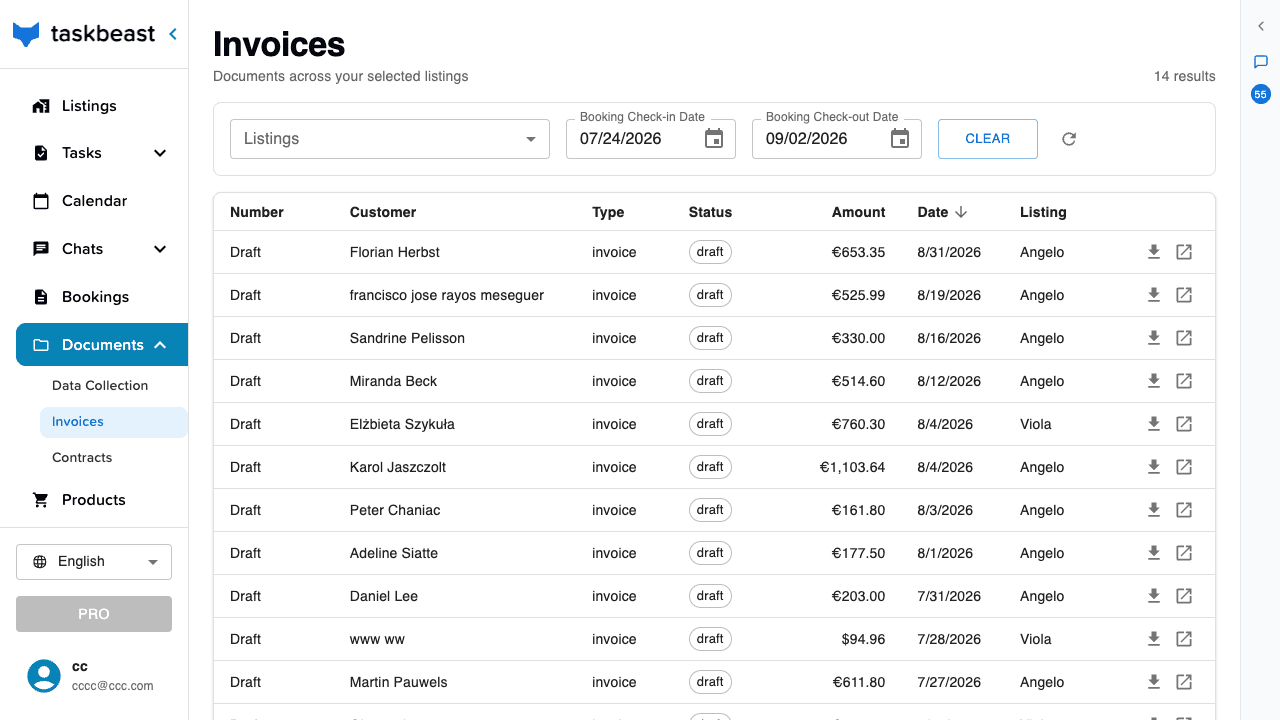
- 1Open Documents → Invoices for the account-wide list of every document across your listings.
- 2Click a row to open the invoice, or use the download icon to save the PDF.
- 3To send it to the guest, share the invoice link in the conversation — or simply ask the AI assistant: “send Anna the invoice for her stay”.
More tutorials
Collect guest identities automatically
Set up the online check-in form, choose which details and documents guests must provide, and let automated messages do the chasing.
Your team: access levels and the staff roster
Invite co-hosts and field staff with the right level of access, build the cleaner/manager roster the AI relies on, and understand exactly who can see what.
Smart locks: automatic access for your guests
Connect your smart locks, assign them to rooms, issue door codes that only work for the stay, and let your automations hand guests the keys.