
Publishing your personal mobile number on listings and business cards is how hosts end up answering guest calls forever, from their private phone, with no record of anything. A dedicated Taskbeast number fixes that: guests call a professional number, calls are forwarded to wherever you are, and the same number can become your WhatsApp Business identity.
Buy a number
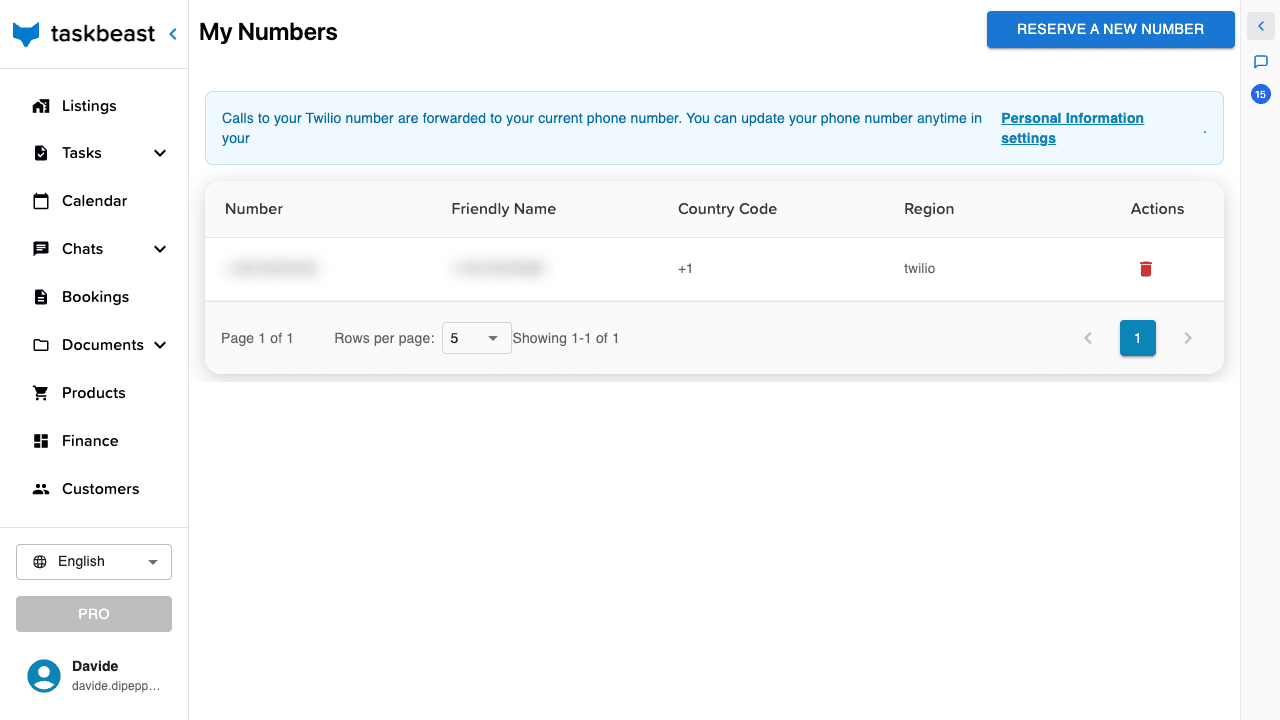
- 1Open Channels → Phone Number in the left sidebar — the My Numbers page.
- 2Click Reserve a new number.
- 3Choose the country and, if you like, an area code, then search and pick a number from the results.
- 4Confirm the purchase. You are returned to the list, where the new number appears with its region and friendly name.
What happens when a guest calls
Nothing to configure: calls to your Taskbeast number already work. The caller hears a short courtesy message — in their own language, detected from their phone prefix — and the call is then forwarded to your personal phone. You answer normally; the guest only ever sees your professional number.
- The forwarding destination is the phone number saved on your profile — change it via the Personal information settings link in the blue strip at the top of the page. Keep it current: it is also how the platform recognizes you as the account owner on WhatsApp.
- If your profile has no phone number, calls are not forwarded: the caller hears the courtesy message and the call ends. The same happens if you don’t pick up within about 30 seconds — there is no voicemail, so the profile number is the one setting that must be right before you print the number anywhere.
- Incoming forwarded calls show your Taskbeast number as the caller — so when your phone rings with it, you know it’s a guest calling the rental line and can answer accordingly.
Good to know: AI-answered calls — where the assistant picks up, talks to the guest and reports back — are on the way: the Task Manager already lists Voice call among task channels as “coming soon”. Today, calls are professionally greeted and forwarded to a human: you.
One number per account — swapping and releasing
An account holds one purchased number at a time. To change numbers, release the current one first, then reserve the new one.
- 1Release a number with the delete action on its row in My Numbers.
- 2Releasing is immediate and permanent: the number goes back to the carrier pool, billing for it stops, and it can eventually be assigned to someone else — you cannot get it back later.
- 3If the number is registered as your WhatsApp Business sender, don’t release it on a whim: the WhatsApp sender dies with it. Set up a replacement sender first (see the WhatsApp tutorial).
Reuse it for WhatsApp
The same purchased number can be registered as your WhatsApp Business sender: in the WhatsApp connect flow (see the WhatsApp tutorial), choose Taskbeast phone number at step 1 and pick it from the list. One number, two channels — calls and WhatsApp — both branded, both in one inbox.
More tutorials
Connect Airbnb and Booking.com
Import your listings from Airbnb and Booking.com, keep prices and availability in sync, manage rate plans, and merge the same apartment across channels.
Send your first WhatsApp message
Start messaging guests right away with the shared WhatsApp sender, then register your own WhatsApp Business number when you are ready.
Message templates: your key to WhatsApp deliverability
Build templates that Meta approves, fill them with variables that resolve themselves, and make sure your messages always reach guests — even outside the 24-hour window.